Date Check-In · Help & info
Check-in
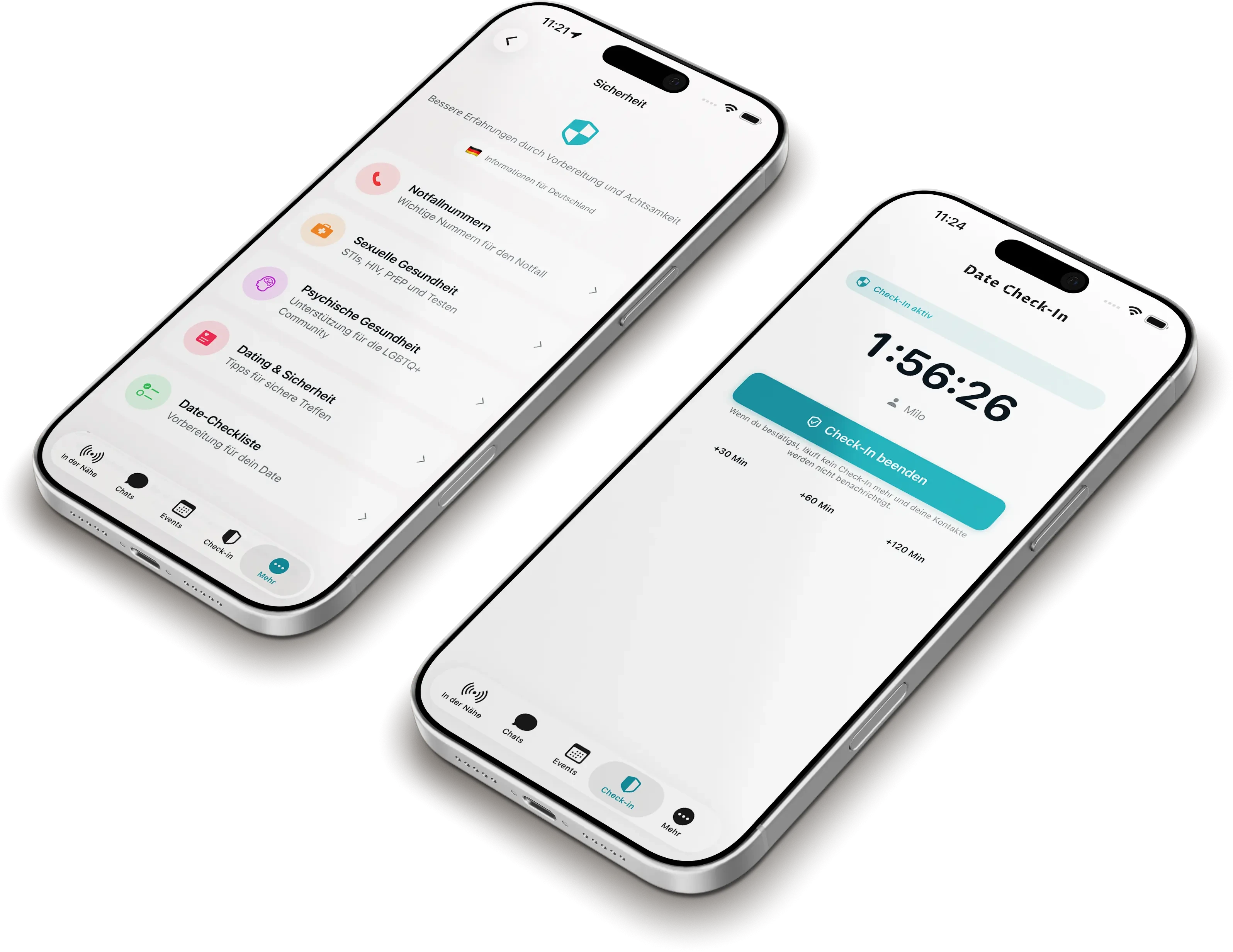
Check-in is BONE's safety feature for dates. Get help if you received a message — or learn how the whole thing works.
How can we help?
Answer one or two quick questions — we'll show you the right answer.
What applies to you?
Someone listed you as an emergency contact and started a Date Check-In — a safety timer that must be actively confirmed. That confirmation didn't come.
What does the message you received say?
Reachable, but no response
The person's device was online, but the check-in wasn't confirmed. This may be harmless — distracted, busy, or simply forgotten — or the person may be unable to respond right now.
What you can do now
Try to reach the person directly — by call or message. If shared, the notification includes their last known location and the time of last contact.
BONE sends this message automatically and is not an emergency or rescue service. If there is imminent danger, call the police (112 across Europe) and describe the situation: who it concerns, the last known location from the message, and how long there has been no contact.
Don't want to receive messages like this? At the bottom of every notification there's an unsubscribe link — for this one person, or for all BONE safety alerts. No app required.
Phone unreachable
There has been no signal for some time. This may be a dead battery, no reception, or a switched-off device — or it may point to a problem.
What you can do now
Try to reach the person directly — by call or message. If shared, the notification includes their last known location and the time of last contact.
BONE sends this message automatically and is not an emergency or rescue service. If there is imminent danger, call the police (112 across Europe) and describe the situation: who it concerns, the last known location from the message, and how long there has been no contact.
Don't want to receive messages like this? At the bottom of every notification there's an unsubscribe link — for this one person, or for all BONE safety alerts. No app required.
You're not sure
No problem. Either way, the message means the person didn't confirm their Date Check-In in time — their phone was either reachable without a response, or unreachable altogether. In both cases, the same applies:
What you can do now
Try to reach the person directly — by call or message. If shared, the notification includes their last known location and the time of last contact.
BONE sends this message automatically and is not an emergency or rescue service. If there is imminent danger, call the police (112 across Europe) and describe the situation: who it concerns, the last known location from the message, and how long there has been no contact.
Don't want to receive messages like this? At the bottom of every notification there's an unsubscribe link — for this one person, or for all BONE safety alerts. No app required.
Good that you're reading up
Below we explain step by step how Check-in works and what it does.
How Check-in worksSomething else
Want to stop receiving Check-in messages? Use the unsubscribe link at the bottom of the message you received — for one person or in general. For anything else, we're happy to help.
Get in touchHow it works
How does Check-in work?
- 1
Set up the date & emergency contacts
Before meeting up, you set up to three emergency contacts in the app (name and email, optionally a phone number) and can note who you're meeting.
- 2
The timer runs
You start a timer for the length of the date. Optionally, BONE stores your last location while the check-in is active — and not afterwards.
- 3
Confirm — or escalate
When the timer runs out, you confirm with a tap on “I'm safe”. If you don't respond — not even within the short grace window — your emergency contacts are alerted automatically.
- 4
All clear
If you check back in after an escalation, your contacts receive an all-clear message.
What does my contact receive?
In an escalation, your contact receives an email (and, where available, an SMS) with your name, the time, and — if shared — your last location. Plus guidance on what to do and a clear note that this is an automated message, not an emergency call.
Best-effort safety feature — not a replacement for emergency services.
Availability
Email and SMS by region
Email notifications are available almost everywhere. We're rolling out SMS step by step — currently in Germany, Austria, Switzerland and Liechtenstein.
| Region | SMS | |
|---|---|---|
| Germany, Austria, Switzerland, Liechtenstein | Available | Available |
| Rest of the EU | Available | Planned |
| Rest of the world | Limited availability* | Planned |
* Outside Europe, delivery may be limited depending on the country.